Dawamee by Digital Pages · Android

Your workday,
on time.

Meet Dawamee: check in, take a break and keep track of time off in English or Arabic. Connect to your company through Digital Pages, or choose Other / Personal to keep your own workday journal on your Android device.
English & العربية Location only at the action No ads, no trackers
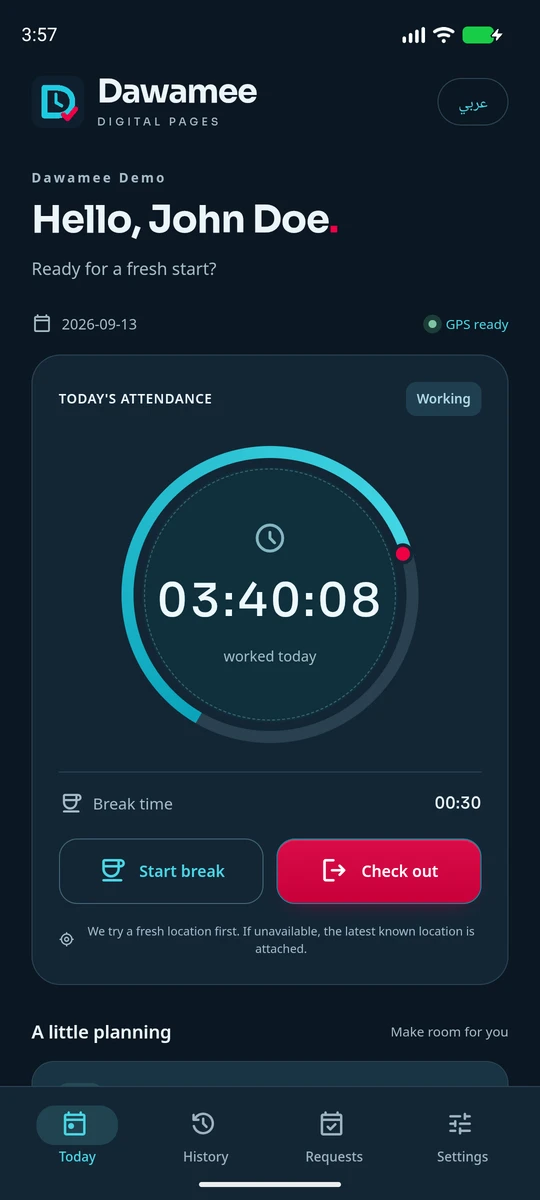
The Dawamee home screen in dark appearance, showing worked time on a ring with Start break and Check out actions.

Two ways to keep your time

Choose your mode when you first open the app.

Digital Pages · Company

Use the email your employer invited and a one-time code. Attendance and leave requests sync with your company’s payroll administration; an active invitation and internet connection are required.

Other / Personal

No account, invitation or internet connection. Attendance, timed breaks and personal leave records stay encrypted on your device. Personal mode makes no API or network requests and has no online backup.

Your records, your export

Export personal attendance, breaks and leave as CSV, including GPS and notes with Arabic text preserved. Choose a local destination with Android’s file picker. Exported files are separate from the app’s encrypted storage.

Both modes request a fresh location after confirmation and support optional biometric locking. If a fresh fix fails while GPS is enabled, the action uses a usable latest-known location with its original time and accuracy, clearly marked as a fallback. Personal leave is marked Recorded or Cancelled; it is not sent to management. Clearing app storage or uninstalling removes your personal records. Any CSV files you exported remain under your control.

A closer look

Explore Dawamee 1.4.0 with John Doe, a fictional employee in our demo workspace. Swipe to see more.
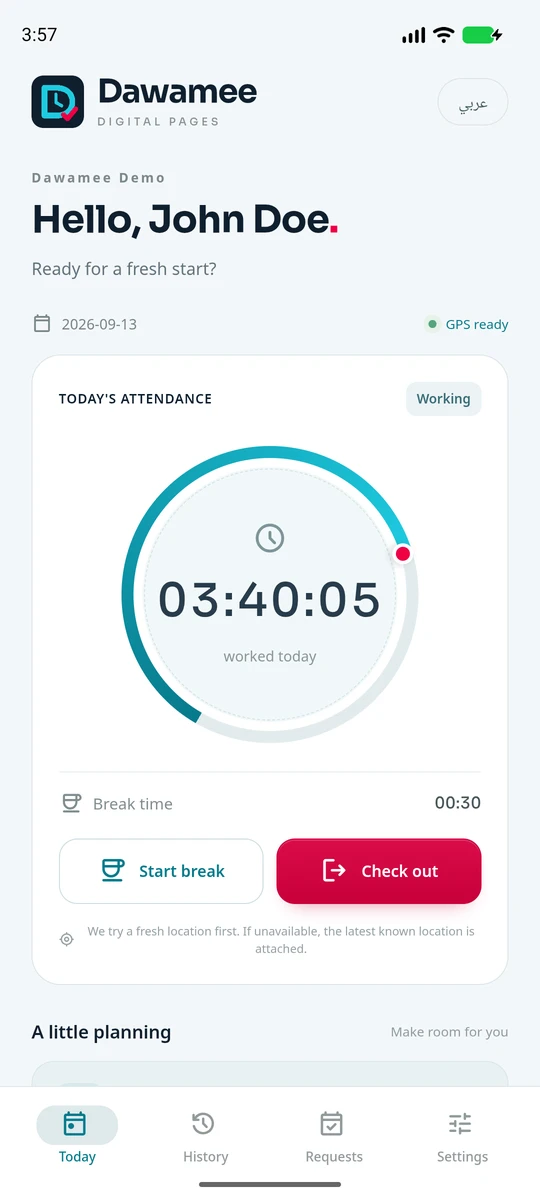
Today screen: a greeting, the date, GPS status and a ring showing time worked today.
TodayCheck in, and watch the day add up.
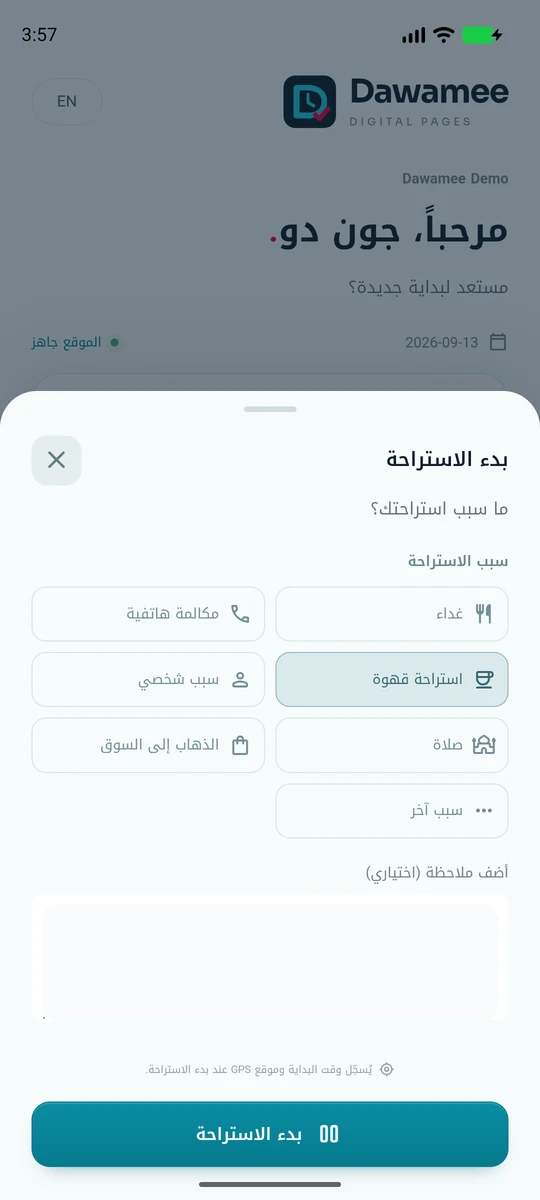
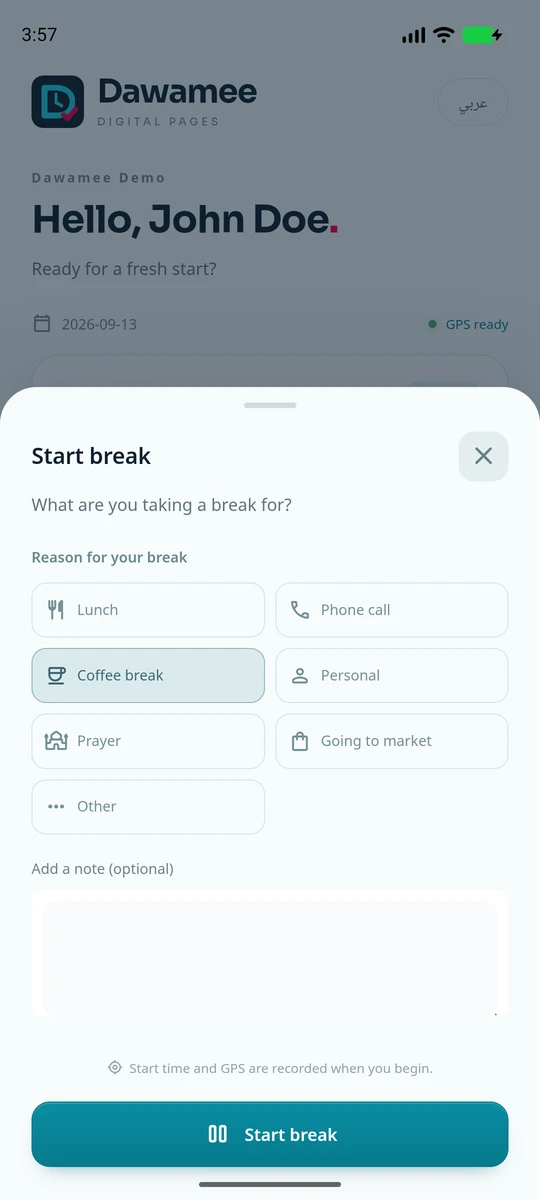
Start break sheet: lunch, phone call, coffee, personal, prayer, going to market or other, with an optional note.
BreaksStart a break and say why.
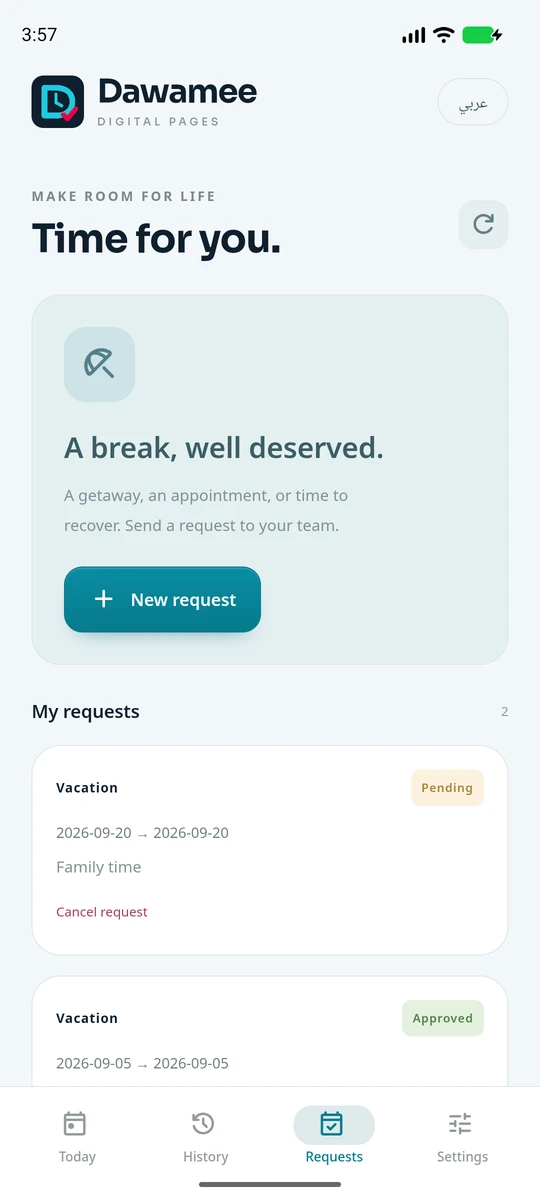
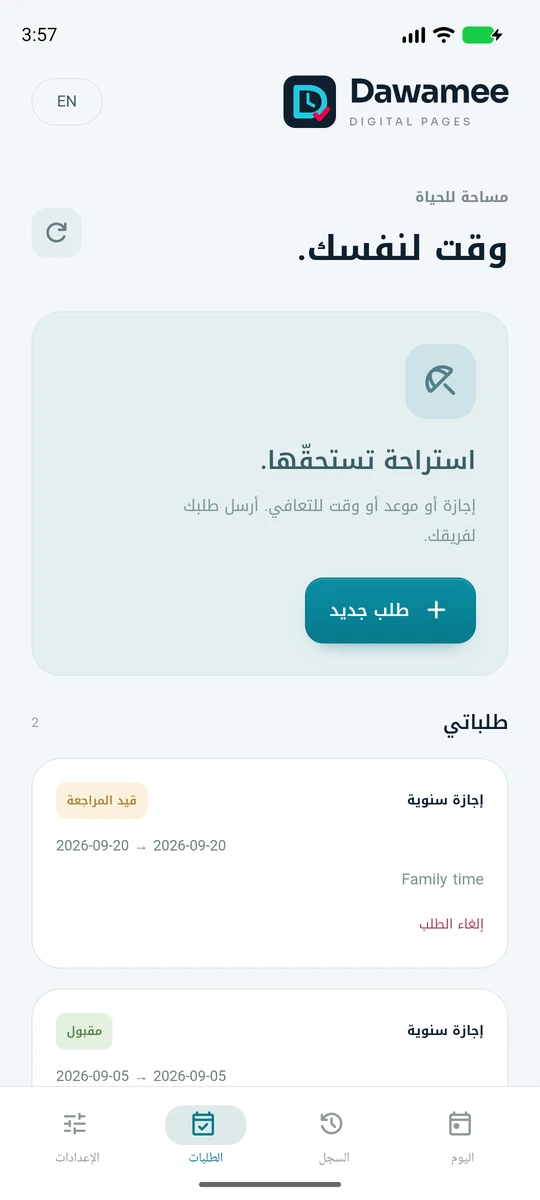
Requests screen with a New request button and a pending vacation request that can be cancelled.
RequestsAsk for leave, follow the status.
The same Today screen in dark appearance.
Dark or lightA comfortable view, day or night.
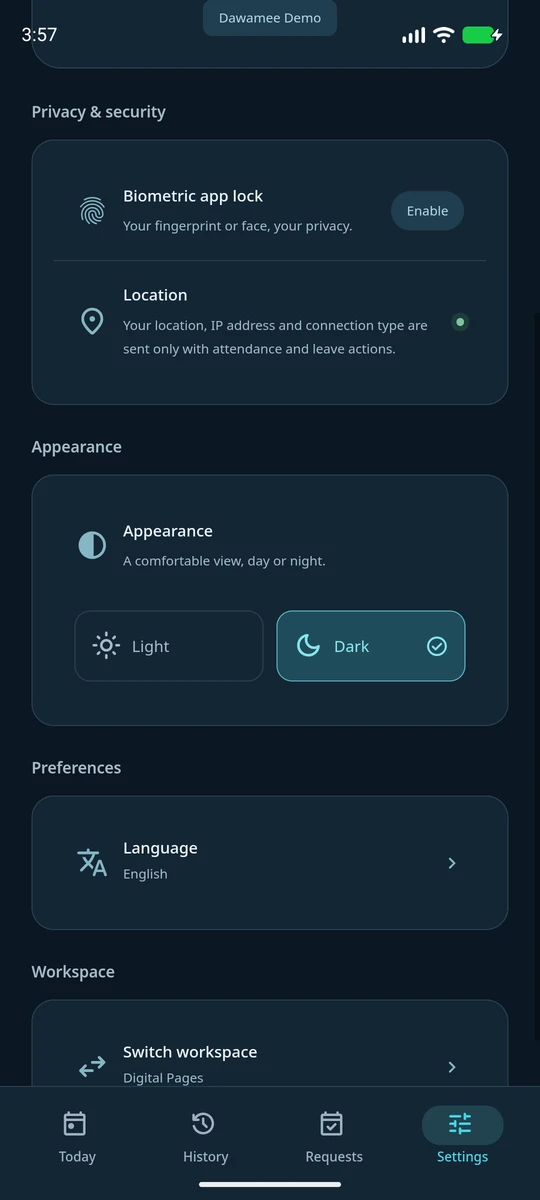
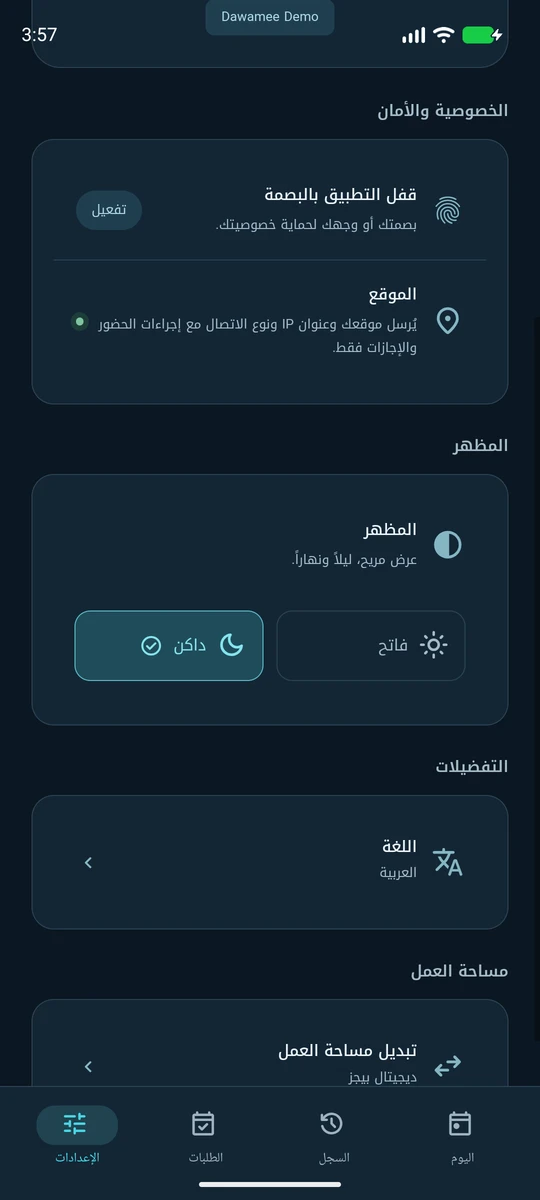
Settings: biometric app lock, a note that location is sent only with attendance actions, appearance and language.
SettingsBiometric lock, language, appearance.
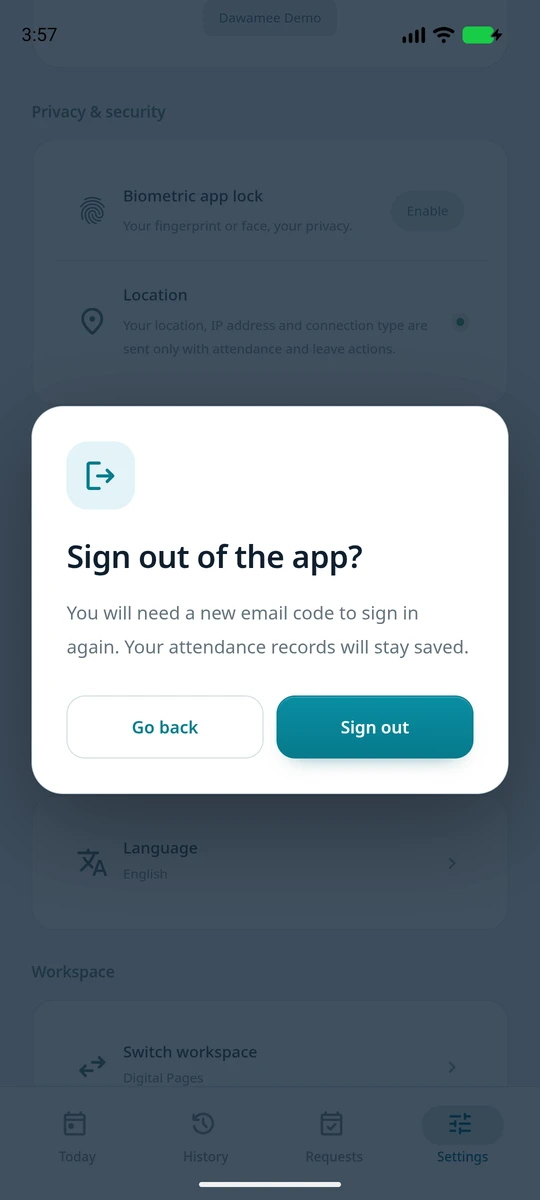
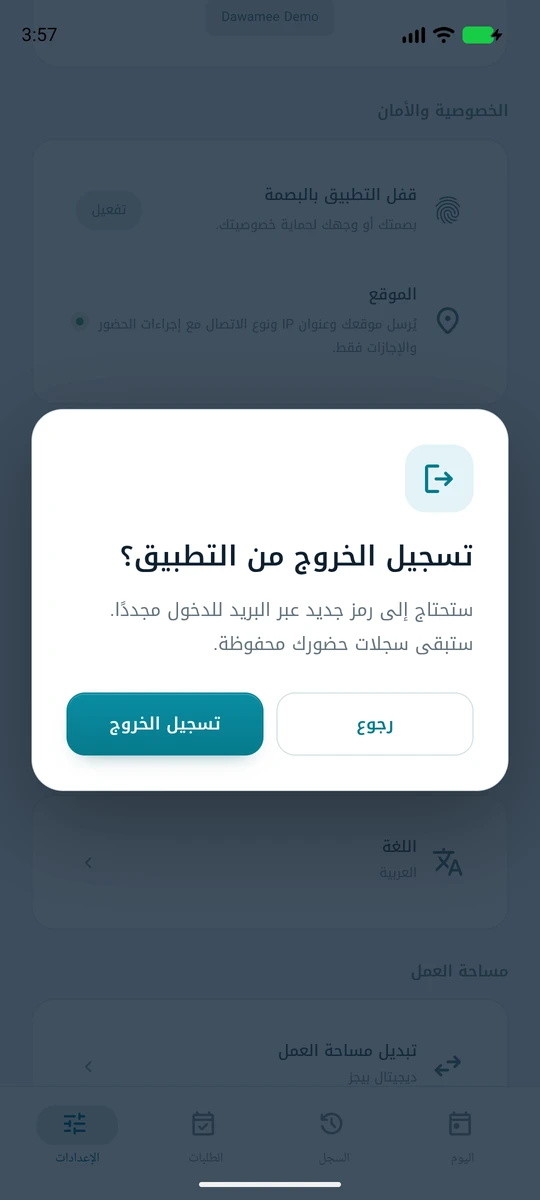
A confirmation dialog asking Sign out of the app? with Go back and Sign out.
Confirm firstEvery recorded action asks before it happens.

What you can do

Everything an employee needs for time-keeping, and nothing that belongs in a different app.

Check in and check out

Start and finish your working day, confirm the action, and see today's worked time as it runs.

Breaks with a reason

Lunch, a phone call, coffee, something personal, prayer, going to market or another reason — with a note when you need one, and a required explanation for “other”.

Leave requests

Annual, sick, unpaid, hourly or another type of leave. Company mode sends requests for review; Personal mode records them on your device, with no management approval.

Your history

Review working days, break times and leave status. Personal mode also exports attendance, breaks and leave as CSV files, including location and notes.

Location at the action

Each attendance and leave action carries a location stamp. A fresh fix is preferred; when unavailable, the latest known location is labelled with its original time and accuracy. There is no continuous tracking.

Biometric app lock

Optionally lock the app after 1, 5 or 15 minutes of inactivity, when it goes to the background, or on demand.

Company mode: invitation only

Choose Digital Pages at first launch to connect to your employer’s payroll service.

  • You are an active employee of a company that uses Digital Pages payroll.
  • An administrator there has granted your work email mobile access and sent you an invitation.
  • You can receive mail at that address — sign-in uses a six-digit one-time code, not a password.
  • Your device has an internet connection, and you can allow precise location while using the app.

If you are not sure whether you have been invited, ask the person who handles payroll or HR at your company. Installing the app does not create an employee account, and we cannot create, restore or transfer access on our own.

What the app deliberately does not do

The short version of the privacy policy.

  • It does not track your movements in the background or when it is closed.
  • It does not define an office geofence or decide where you are allowed to work.
  • It contains no advertising, no advertising identifier and no third-party analytics or tracking SDKs.
  • It does not read your contacts, photos, messages or call history. A Personal CSV export writes only to the destination you choose in Android’s file picker.
  • It never receives your salary details — the attendance service can read only a narrow set of identity and eligibility fields from payroll.
  • Your fingerprint or face is never sent anywhere; the app only asks Android whether your unlock succeeded.

How Company sign-in works

No password to create, and none to forget.

  1. Your company grants mobile access from payroll and sends the invitation, which includes the download link.
  2. You install the app and enter the email address your company invited.
  3. You receive a six-digit code, valid for ten minutes, and enter it in the app.
  4. If you are eligible at more than one company, you choose which one you are recording time for.

If your employment ends, your access is revoked, your status changes, or your login email is changed, the grant stops working immediately.

Version 1.4.0 · Published by Digital Pages · Questions: app@digital-pages.dev
Dawamee من Digital Pages · أندرويد

يوم عملك،
في وقته تماماً.

مع Dawamee، سجّل حضورك واستراحاتك وتابع إجازاتك بالعربية أو الإنجليزية. اتصل بشركتك عبر Digital Pages، أو اختر «أخرى / شخصي» للاحتفاظ بسجل يوم عملك على جهاز أندرويد لديك.

بالعربية والإنجليزية الموقع لحظة الإجراء فقط بلا إعلانات ولا تتبّع
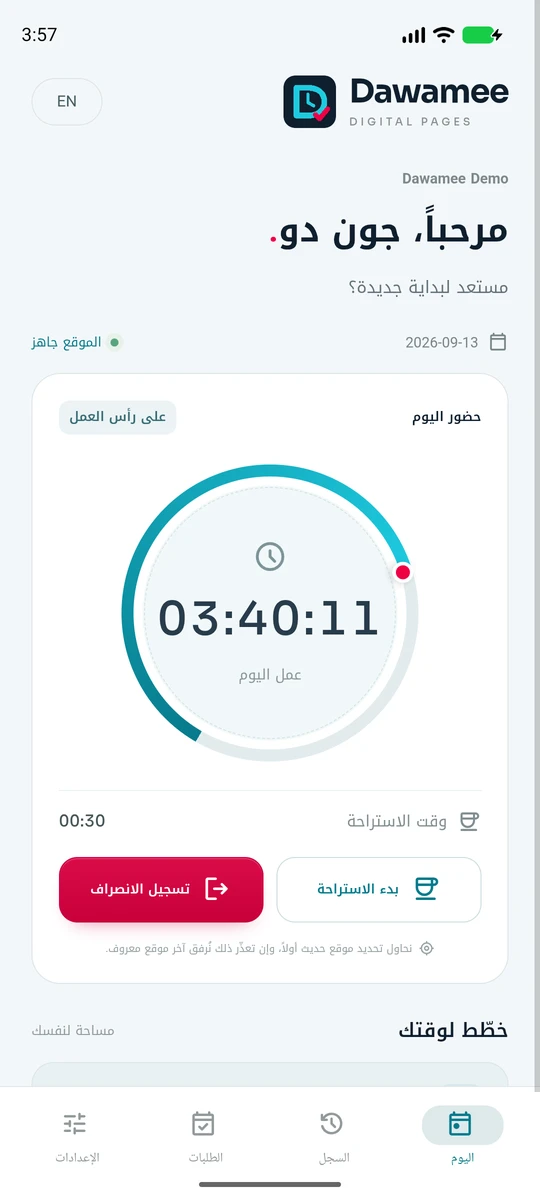
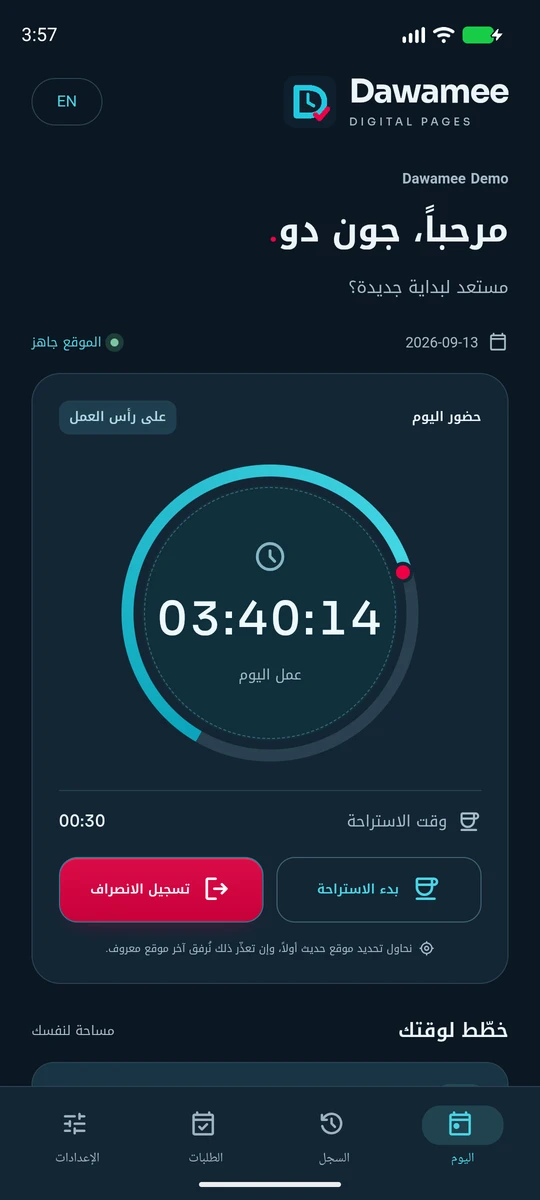
الشاشة الرئيسية لتطبيق Dawamee بالمظهر الداكن، وتظهر فيها ساعات العمل على حلقة مع زرّي بدء الاستراحة وتسجيل الانصراف.

طريقتان لتسجيل وقتك

اختر الوضع عند فتح التطبيق لأول مرة.

‏Digital Pages · الشركة

استخدم البريد الذي دعتك جهة عملك به ورمز الدخول لمرة واحدة. تتزامن سجلات الحضور وطلبات الإجازة مع إدارة الرواتب في شركتك، ويلزم اتصال بالإنترنت ودعوة سارية.

أخرى / شخصي

دون حساب أو دعوة أو اتصال بالإنترنت. تُحفظ سجلات الحضور والاستراحات والإجازات الشخصية مشفّرة على جهازك. لا يُجري الوضع الشخصي أي طلبات API أو شبكة، ولا تتوفر نسخة احتياطية عبر الإنترنت.

سجلاتك وملفاتك

صدّر الحضور والاستراحات والإجازات الشخصية بصيغة CSV، مع الموقع والملاحظات ودعم النص العربي. اختر وجهة محلية من منتقي ملفات أندرويد. الملفات المصدّرة منفصلة عن تخزين التطبيق المشفّر.

يُطلب موقع حديث بعد التأكيد، ويتوفر القفل البيومتري الاختياري في الوضعين. إذا تعذّر التحديد مع بقاء GPS مفعّلاً، يُستخدم آخر موقع معروف صالح مع وقته ودقته الأصليين ويوضّح السجل أنه موقع بديل. تُحفظ الإجازة الشخصية بحالة «مسجّلة» أو «ملغاة» ولا تُرسل للإدارة. يمحو مسح بيانات التطبيق أو إلغاء تثبيته سجلاتك الشخصية؛ أما ملفات CSV المصدّرة فتبقى تحت سيطرتك.

نظرة أقرب

استكشف Dawamee 1.4.0 مع جون دو، موظف افتراضي في مساحة العمل التجريبية. اسحب لرؤية المزيد.

شاشة اليوم: تحية وتاريخ وحالة الموقع وحلقة تعرض ساعات العمل اليوم.
اليومسجّل حضورك وتابع ساعات يومك.
نافذة بدء الاستراحة: الغداء ومكالمة هاتفية والقهوة وأمر شخصي والصلاة والذهاب إلى السوق وأخرى، مع ملاحظة اختيارية.
الاستراحاتابدأ استراحتك واذكر سببها.
شاشة الطلبات مع زر طلب جديد وطلب إجازة معلّق يمكن إلغاؤه.
الطلباتاطلب إجازتك وتابع حالتها.
شاشة اليوم نفسها بالمظهر الداكن.
فاتح أو داكنعرض مريح في الليل والنهار.
الإعدادات: قفل التطبيق البيومتري، وتنبيه بأن الموقع يُرسل مع إجراءات الحضور فقط، والمظهر واللغة.
الإعداداتالقفل البيومتري واللغة والمظهر.
نافذة تأكيد تسأل: تسجيل الخروج من التطبيق؟ مع خياري العودة وتسجيل الخروج.
تأكيد قبل التنفيذيسألك التطبيق قبل كل إجراء يُسجَّل.

ماذا يمكنك أن تفعل

كل ما يحتاجه الموظف لضبط وقته، ولا شيء مما يخص تطبيقاً آخر.

تسجيل الحضور والانصراف

ابدأ يوم عملك وأنهِه، وأكّد الإجراء، وتابع ساعات عملك اليوم أولاً بأول.

استراحات بسببها

الغداء أو مكالمة هاتفية أو القهوة أو أمر شخصي أو الصلاة أو الذهاب إلى السوق أو سبب آخر — مع ملاحظة عند الحاجة، وتوضيح إلزامي عند اختيار «أخرى».

طلبات الإجازة

إجازة سنوية أو مرضية أو دون راتب أو مغادرة بالساعات أو نوع آخر. يرسل وضع الشركة الطلبات للمراجعة، ويحفظها الوضع الشخصي على جهازك دون موافقة إدارية.

سجلّك

راجع أيام العمل وأوقات الاستراحة وحالات الإجازة. ويتيح الوضع الشخصي تصدير الحضور والاستراحات والإجازات إلى ملفات CSV تشمل الموقع والملاحظات.

الموقع لحظة الإجراء

يرافق كل إجراء حضور وإجازة ختم موقع. يُفضَّل التحديد الحديث، وإن تعذّر يُستخدم آخر موقع معروف مع توضيح وقته ودقته الأصليين. لا يوجد تتبّع مستمر.

قفل بيومتري للتطبيق

يمكنك اختيارياً قفل التطبيق بعد دقيقة أو 5 أو 15 دقيقة من عدم النشاط، أو عند انتقاله إلى الخلفية، أو يدوياً.

وضع الشركة: بدعوة من شركتك

اختر Digital Pages عند التشغيل الأول للاتصال بخدمة الرواتب لدى جهة عملك.

  • أن تكون موظفاً نشطاً في شركة تستخدم نظام الرواتب من Digital Pages.
  • أن يمنح مسؤول لديها بريدك الوظيفي صلاحية الاستخدام عبر الهاتف ويرسل لك الدعوة.
  • أن تتمكن من استقبال البريد على ذلك العنوان، فالدخول برمز من ستة أرقام لا بكلمة مرور.
  • أن يتوفر لجهازك اتصال بالإنترنت وأن تسمح بالموقع الدقيق أثناء استخدام التطبيق.

إن لم تكن متأكداً من وصول الدعوة، فاسأل المسؤول عن الرواتب أو الموارد البشرية في شركتك. وتثبيت التطبيق لا ينشئ حساب موظف، ولا يمكننا إنشاء الصلاحية أو استعادتها أو نقلها من طرفنا.

ما لا يفعله التطبيق عن قصد

الخلاصة المختصرة لـسياسة الخصوصية.

  • لا يتتبّع تحركاتك في الخلفية أو عندما يكون مغلقاً.
  • لا يرسم نطاقاً جغرافياً للمكتب ولا يقرر أين يُسمح لك بالعمل.
  • لا يحتوي على إعلانات ولا معرّف إعلاني ولا أدوات تحليلات أو تتبّع من طرف ثالث.
  • لا يقرأ جهات اتصالك أو صورك أو رسائلك أو سجل مكالماتك. ويكتب تصدير CSV الشخصي فقط إلى الوجهة التي تختارها من منتقي الملفات في أندرويد.
  • لا يصله أي تفصيل عن راتبك؛ فخدمة الحضور لا تقرأ سوى مجموعة محدودة من حقول الهوية والأهلية من نظام الرواتب.
  • لا تُرسَل بصمتك أو صورة وجهك إلى أي جهة؛ يكتفي التطبيق بسؤال نظام أندرويد إن نجح التحقق.

كيف يتم الدخول في وضع الشركة

لا كلمة مرور تُنشئها، ولا كلمة مرور تنساها.

  1. تمنحك شركتك الصلاحية من نظام الرواتب وترسل الدعوة، وفيها رابط التنزيل.
  2. تثبّت التطبيق وتُدخل البريد الإلكتروني الذي دعتك شركتك من خلاله.
  3. تستلم رمزاً من ستة أرقام صالحاً لعشر دقائق وتُدخله في التطبيق.
  4. إن كنت مؤهلاً في أكثر من شركة، تختار الشركة التي تسجّل دوامك لديها.

وعند انتهاء عملك، أو سحب الصلاحية، أو تغيّر حالتك الوظيفية، أو تغيير بريد الدخول، تتوقف الصلاحية فوراً.

الإصدار 1.4.0 · تنشره Digital Pages · للاستفسارات: app@digital-pages.dev